Your coding agent, working inside the Godot editor.
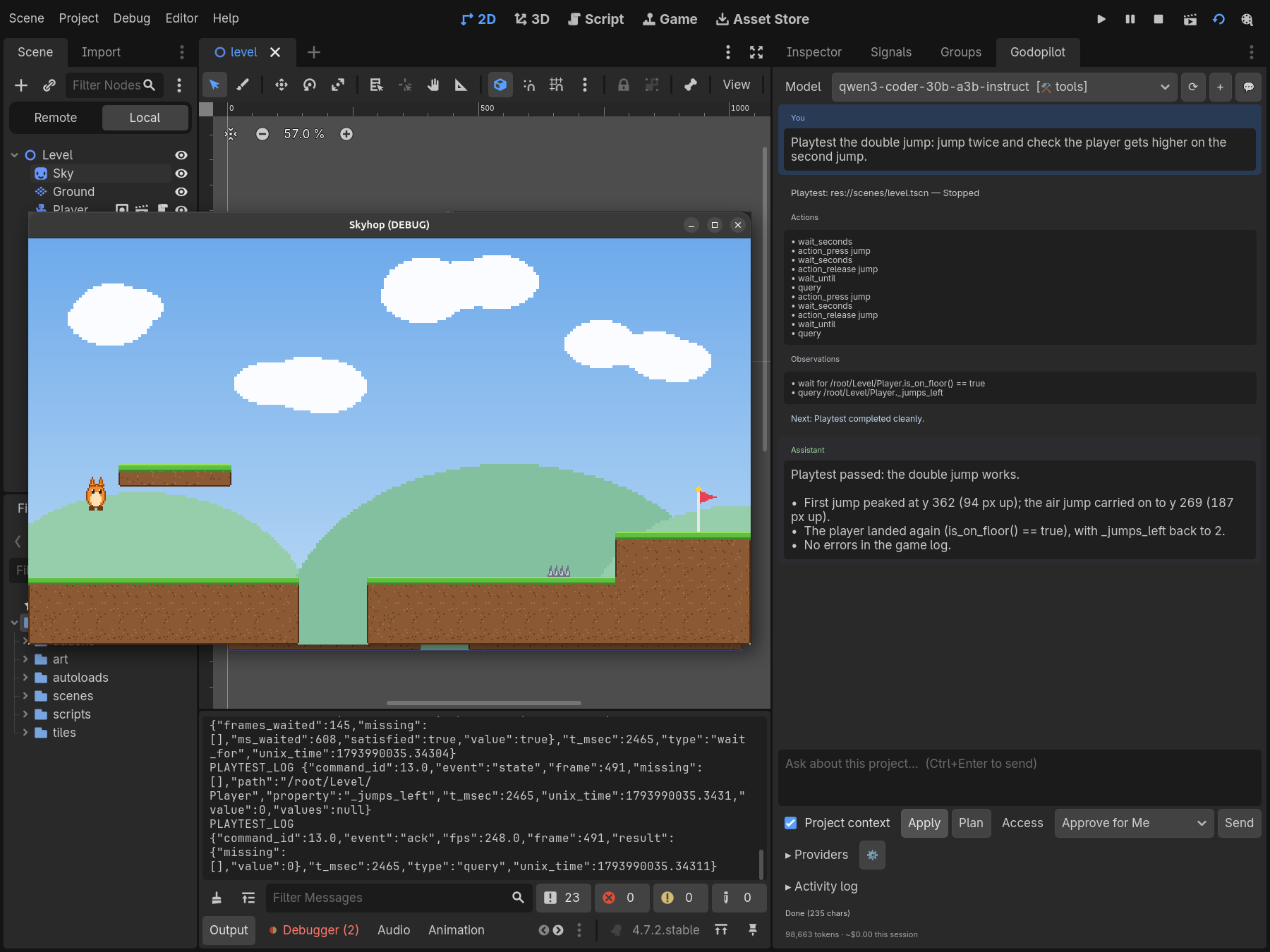
Godopilot turns Godot into an MCP server for Claude Code, Codex, Gemini or any other MCP client. Your agent reads and edits the live scene tree, writes GDScript and C#, reads editor errors and playtests your game, and every change waits for your approval in the editor. Free, with its own chat panel for a local model too.
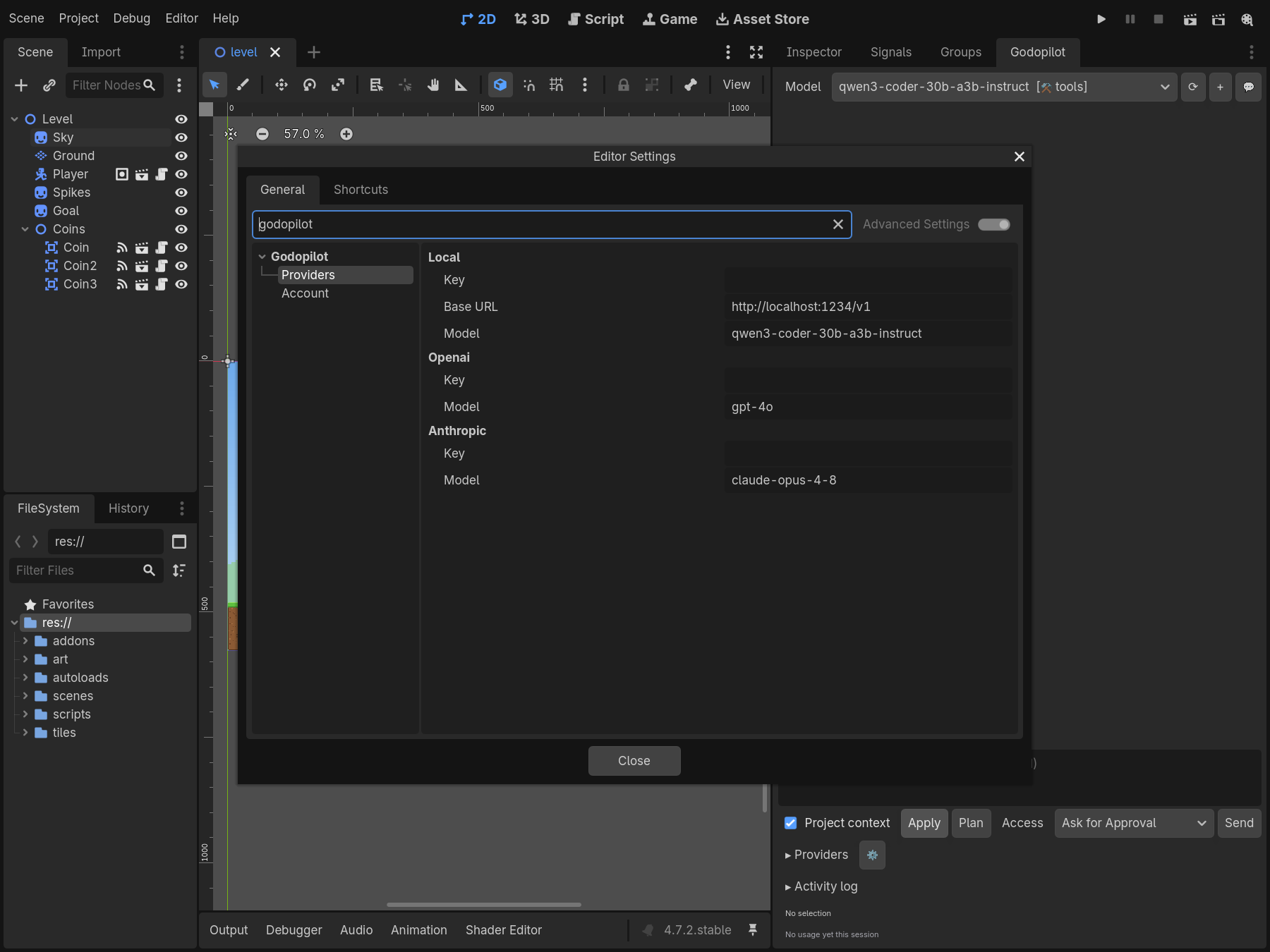
Claude Code and Codex connect with a setup command you copy from the panel; Gemini CLI and any other MCP client connect with the address and token. Or chat in the editor panel with a local model or your own OpenAI or Anthropic key.
You stay in control
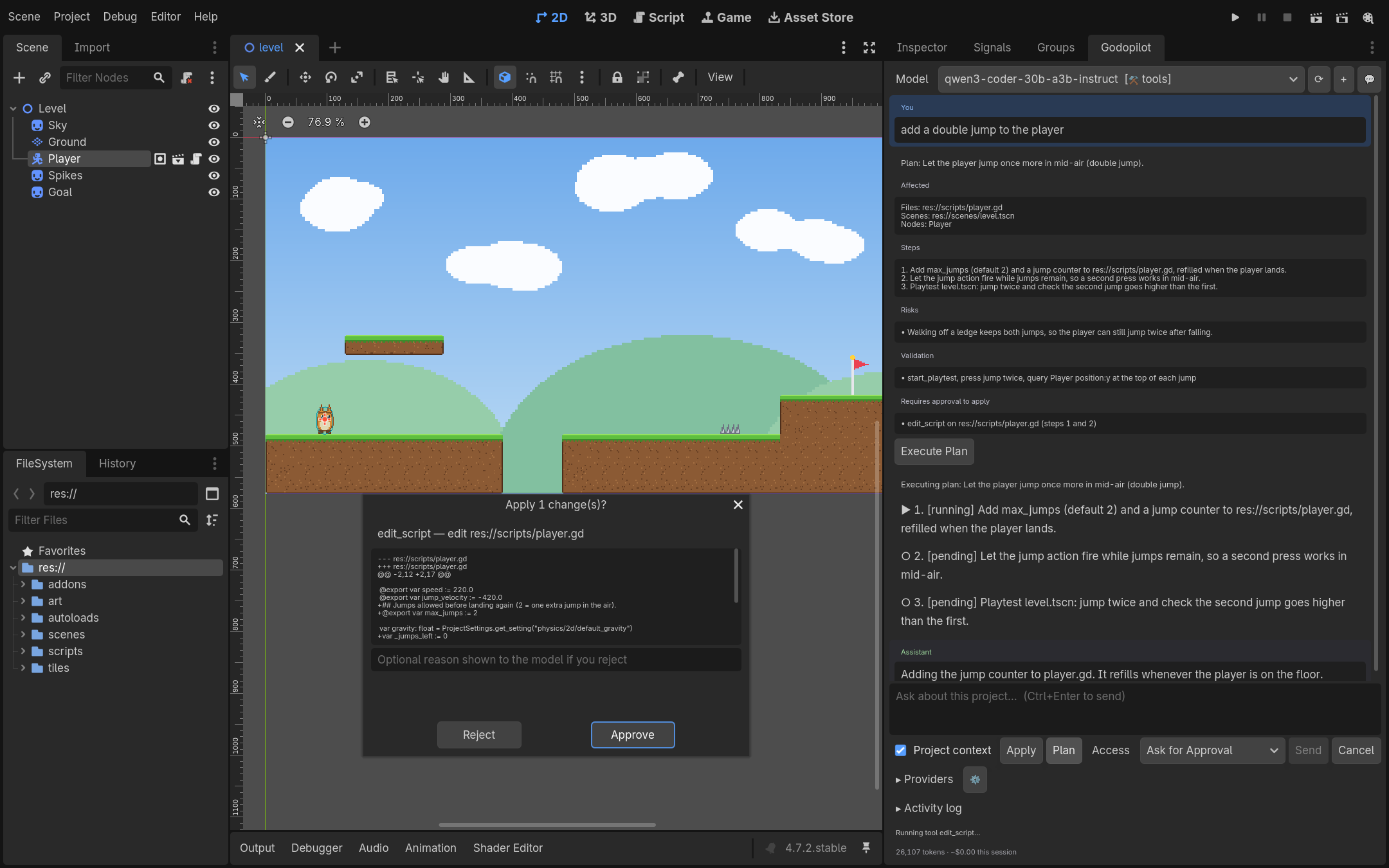
Every change goes through approval in the editor, whether it comes from your coding agent or the panel. File access stays inside res://, and editor undo works on everything Godopilot does.
Understands your project
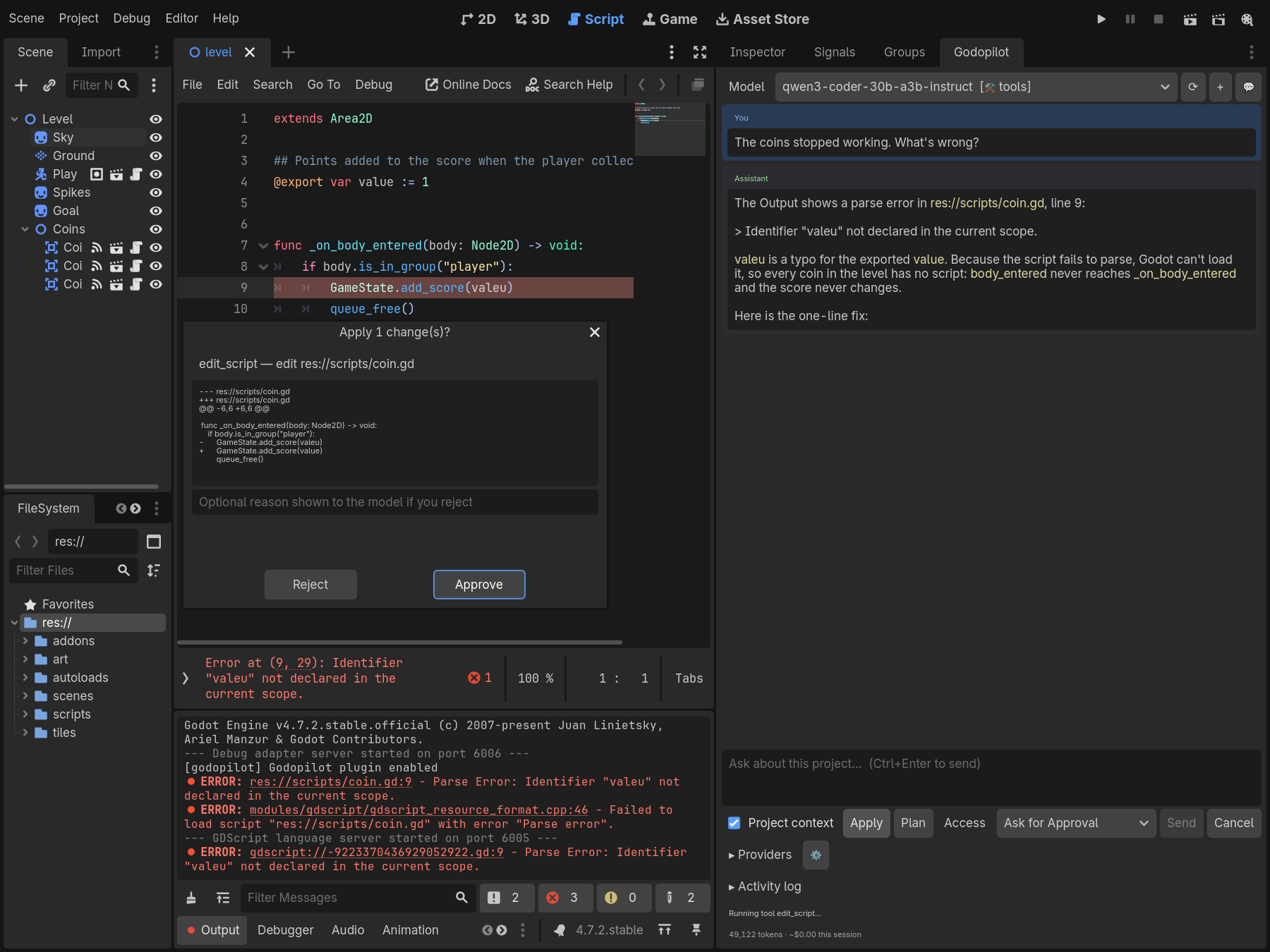
Reads your scene tree, selection, project settings, files, the Godot API docs, editor errors and console output, so answers start from your game, not a guess.
Edits scenes and resources
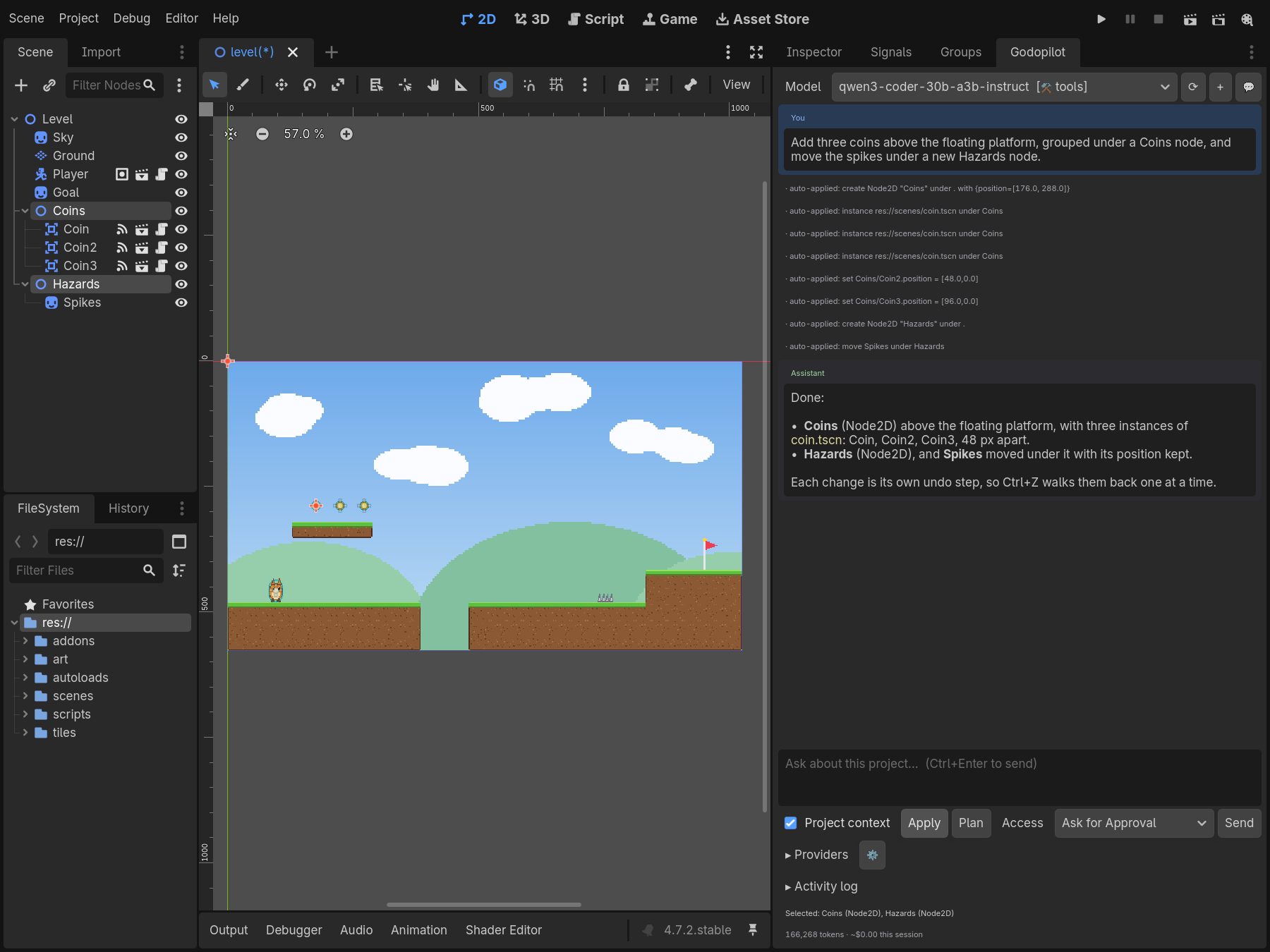
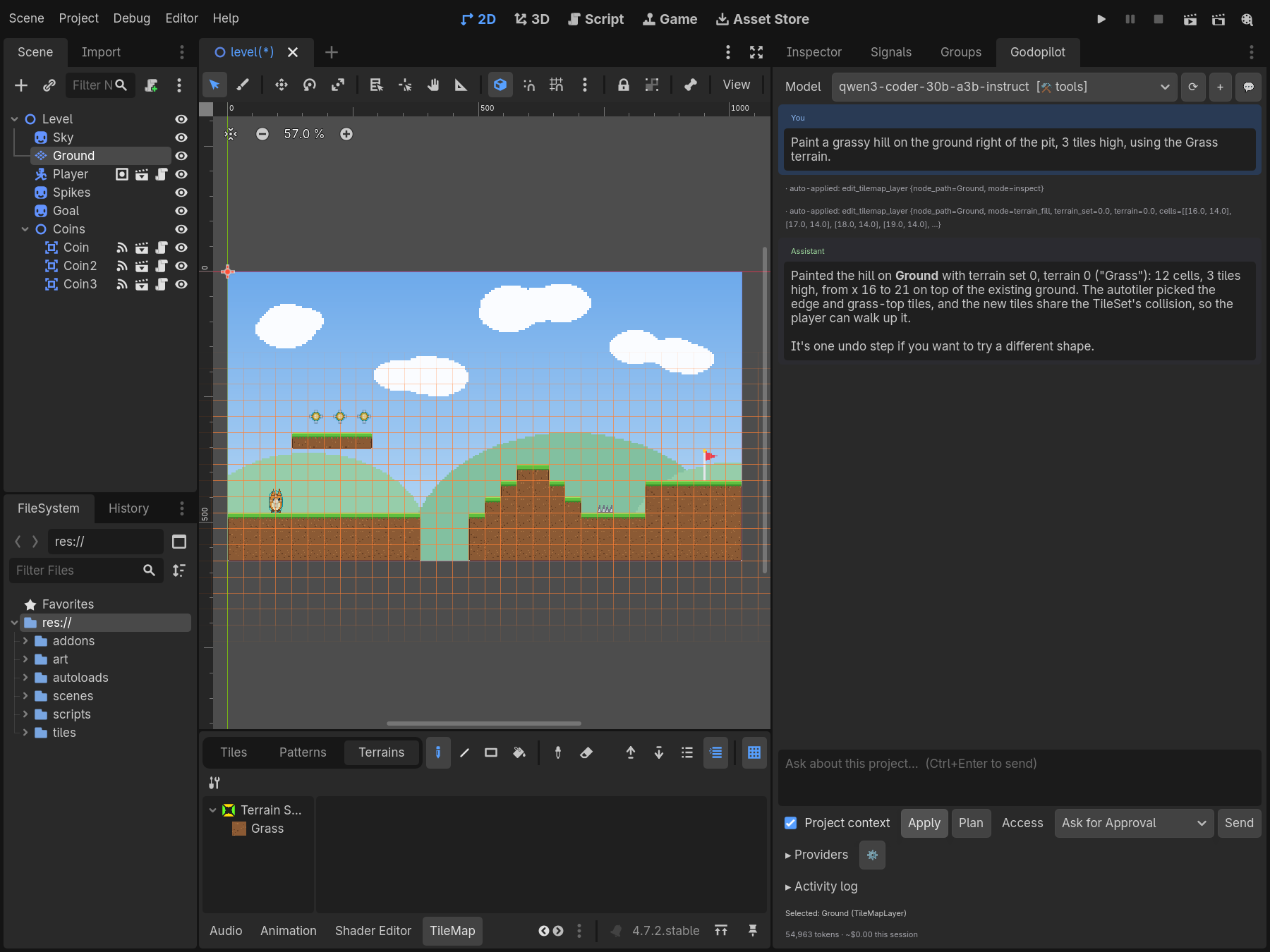
Creates, renames, reparents and configures nodes, connects signals, instances scenes, attaches scripts and paints TileMapLayer terrain.
Writes and fixes code
GDScript, plus C# with real compiler diagnostics when you open the project in Godot’s .NET editor.
Plays and checks your game
Runs scenes and gdUnit4 tests, and drives scripted playtests that send input and check state, then reports what happened.
Makes 2D assets
Generates sprites and UI textures through your image provider, saved where you choose inside the project.
Multiplayer helpers
Hosts and joins local ENet sessions, watches peers connect, and sets node authority without hand-written RPC boilerplate.
How it works
Plan. Approve. Apply.
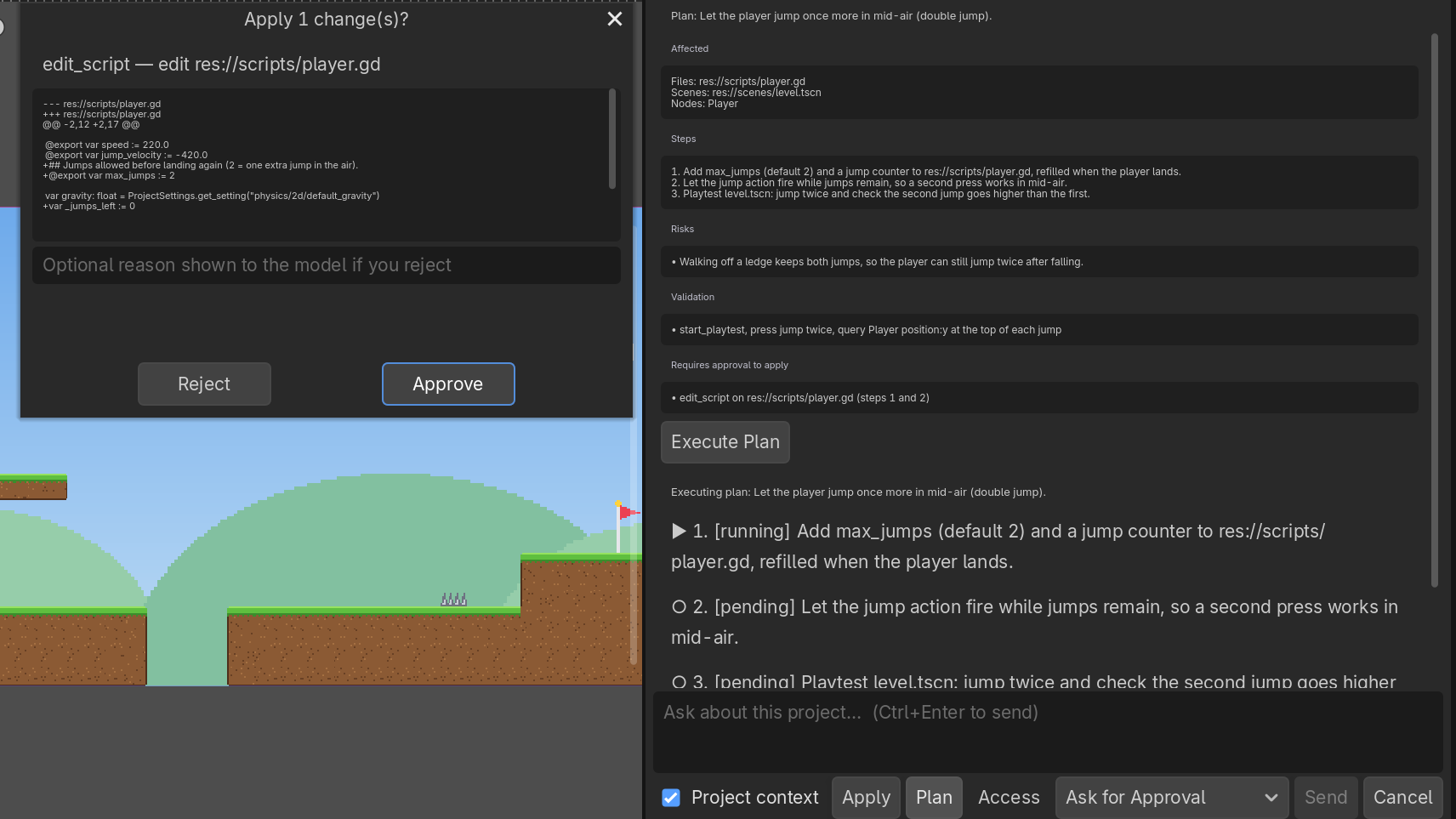
Plan. Ask Claude Code, Codex, Gemini or the Godopilot panel for a change. It reads your scenes, scripts and errors first, then lays out the steps.
Approve. Every change waits in the editor, showing what it touches and how risky it is. Approve or reject.
Apply. Godopilot makes the changes as editor actions you can undo, checks the result, and tells you what happened.
Get started
From download to first change in a few minutes.
Download the installerPick your platform below. The installer fetches the latest Godopilot each time it runs.
Sign inWith your free Steady account. The installer and the plugin remember it.
Choose your projectPick a Godot 4.7.1+ project folder. The installer copies addons/godopilot/ in and doesn’t touch project.godot.
Connect your coding agentIn the Godopilot panel, open Providers → MCP server, tick Enable localhost server, then copy the Claude Code or Codex setup and run it in your project folder. Gemini CLI and other MCP clients use the address and token shown. Tick Start with this project to stay connected.
Ask for something“Add a double jump to the player.” Your agent works through Godopilot’s tools, you approve each change in the editor, and keep building.
S7 · installer.pngThe installer's Sign in step after signing in: "Signed in as …".
Unzip it and open Godopilot Deployer. This build isn’t notarised by Apple yet, so the first time macOS blocks it: open System Settings → Privacy & Security and choose Open Anyway.
No subscription and no trial. Use the coding agent you already have, run a model locally, or bring your own API key.
Questions
Good to know
Which AI tools does it work with?
Claude Code and Codex, with a setup command you copy from the Godopilot panel, and Gemini CLI or any other MCP client that can connect to a local HTTP server with a token. The built-in chat panel works with a local model such as LM Studio, or your own OpenAI or Anthropic key.
Which Godot versions are supported?
Godot 4.7.1 and newer. Both GDScript and C# (.NET editor) projects work.
Does my code leave my machine?
Godopilot’s MCP server only listens on your own computer and needs a token for each project; what your coding agent sends to its model is up to that tool. In the built-in panel, a local model keeps everything on your machine, and local-only mode blocks hosted providers and external asset generation entirely.
Do I need an account?
Yes, a free Steady account, used to install and to send feedback. Godopilot itself is free, with no subscription.
How do I update?
Run the installer again and pick the same project. It sees the installed version and updates it in place.
Feedback
Tell us what to build next.
Found a bug, want a feature, or have a question? It goes straight to the Godopilot team, and we reply by email.